1


Stay in Touch
Get the latest updates, special offers, and exclusive Cinchy perks straight to your inbox.


Jl. Plawa No.50, Seminyak, Kec. Kuta, Kabupaten Badung, Bali 80361

CALL US 24/7
(+62-851-7424-6249)
Copied!

We’ll be Back
at
8:30 AM-9 PM WITA




Payment Partners


© 2026 CINCHY. ALL RIGHTS RESERVED.
Cinchy Blog / Honda Smart Key Warning Light: What It Means and How to Fix It
Published: 25 Nov 2026

By Syahrial Maulana Sudarto
Travel Enthusiast
Quick Answer
“What does the Honda Smart Key warning light mean?”
The Honda Smart Key warning light indicates the communication status between your scooter and its registered remote. Five flashes may signal a weak remote battery, while continuous flashing can indicate interrupted communication. The exact meaning depends on your Honda model, so understanding the indicator pattern is essential before attempting a fix.
Key Takeaways:
The Honda Smart Key warning light is an indicator associated with the keyless ignition system. It helps communicate the operating status of the connection between your scooter and its registered Smart Key remote.
Unlike a traditional ignition system, Honda's keyless system uses radio communication to recognize an authorized remote before allowing certain ignition functions. When the system detects an issue or loses communication, the indicator may behave differently depending on the model.
A warning light does not automatically mean that your scooter has a serious mechanical problem. In many cases, the issue may involve the remote battery, its activation status, or interference affecting the communication signal.
When the Honda Smart Key system operates normally, the scooter can recognize the registered remote within its operating range. This allows you to operate the ignition switch according to the manufacturer's instructions.
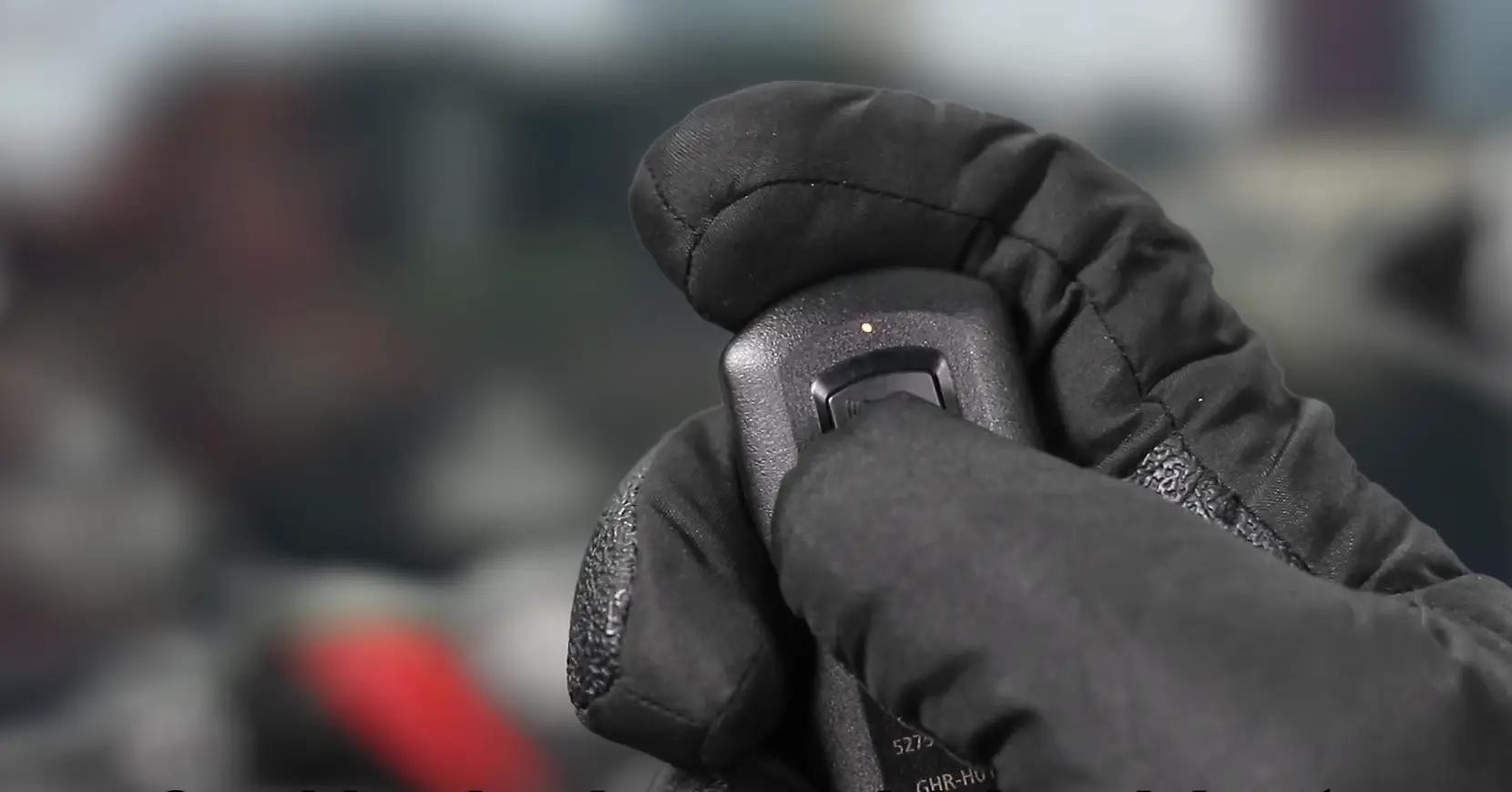
Some Honda models also have an LED indicator on the remote itself. This is different from the Smart Key indicator on the scooter's dashboard or ignition area.
On certain models, a green remote LED indicates that the Smart Key is activated, while a red LED indicates that it is deactivated. Always check your specific owner's manual to confirm the indicator behavior for your model.
It is important not to confuse these two indicators when troubleshooting.
The dashboard Smart Key indicator communicates information about the vehicle's keyless system, including its ability to detect the remote. Meanwhile, the remote LED indicates the remote's activation status on models equipped with this feature.
If the remote LED shows that the Smart Key is deactivated, the scooter may not recognize it even if the remote is physically nearby. Therefore, check both indicators before assuming that a component is damaged.
The number, timing, and behavior of the flashes can help you identify the possible cause of a Smart Key problem. However, Honda does not use one universal warning pattern across every scooter model.
Here are some conditions worth checking.
If your Honda Smart Key indicator flashes five times, the remote battery may need replacement.
Honda owner's manuals for certain models, including the Vario 160, describe five flashes as an indication to replace the Honda SMART Key battery.
A weak battery can also reduce the remote's operating range and make communication less reliable.
Check the battery type specified in your owner's manual before purchasing a replacement. Some Honda PCX manuals, for example, specify a CR2032 or CR2032H battery.
Do not assume that every Honda Smart Key remote uses the same battery.
Continuous flashing while the ignition is ON may indicate that communication between the scooter and the registered remote has been interrupted.
This can happen if the remote is no longer detected after the ignition switch has been turned on. Possible reasons include radio interference, the remote being moved outside the operating range, or the remote being left behind.
On certain Honda models, the scooter may continue operating even after communication is interrupted. However, this does not mean the system can continue functioning normally after the ignition is switched off.
Read also:
Motorcycle Keyless Ignition Stuck: Causes & Fixes
How to Lock Handlebars on Honda Smart Key Scooters
Rapid flashing accompanied by a buzzer can occur during a specific ignition locking sequence.
For example, the Honda Vario 160 owner's manual describes a condition in which the indicator flashes rapidly and the buzzer sounds for approximately 20 seconds when the ignition switch is moved toward OFF, LOCK, or SEAT after communication with the Smart Key has been interrupted.
This is a system warning related to the ignition locking process, not necessarily evidence of a damaged remote.
Follow the instructions in your model-specific owner's manual rather than assuming that the same procedure applies to every Honda scooter.
If the Smart Key indicator remains active or continues flashing unexpectedly, the system may not have completed its normal operation.
Possible explanations include interrupted communication, a remote that is no longer detected, or an issue with the keyless system itself.
Check whether the Smart Key is activated and within range. If the indicator continues behaving abnormally, consult your owner's manual or have the system inspected.
Several conditions can affect the Honda Smart Key system. Understanding the possible causes can help you identify the problem without unnecessarily replacing components.
A weak key fob battery is one of the first things to check when the Smart Key warning light appears.
The remote needs sufficient battery power to communicate with the scooter. When the battery becomes weak, the operating range may become unstable, and the scooter may struggle to detect the registered Smart Key.
If your model displays five flashes as a battery warning, follow the replacement instructions in its owner's manual.
Honda Smart Key remotes on certain models have an ON/OFF function.
If the remote is accidentally deactivated, the scooter may not recognize it even when it is nearby. This can happen if the activation button is pressed unintentionally while the remote is inside a pocket or bag.
Check the remote LED and reactivate the Smart Key if necessary, following the instructions for your model.
The Honda Smart Key system relies on radio communication. Certain electronic devices and strong electromagnetic sources can interfere with this connection.
Potential sources include smartphones, wireless communication devices, and nearby radio transmitters.
If the warning light appears unexpectedly, move the remote away from other electronic devices and try operating the ignition again in a different location.
The scooter may fail to detect the remote if it is too far away or its signal cannot reach the vehicle reliably.
For example, the Smart Key may be inside a bag that has been placed away from the scooter, or it may accidentally be left with another person.
Bring the remote closer to the ignition area and check whether the scooter recognizes it.
Metal objects can interfere with the communication between the Smart Key and the scooter in certain situations.
Keeping the remote inside a metal container or alongside objects that affect signal transmission may prevent the system from detecting it reliably.
Try removing the remote from the container or bag and placing it closer to the ignition switch.
Honda's keyless ignition system is designed to recognize registered Smart Keys.
If you are using a replacement remote that has not been registered to the scooter, the system may not recognize it. Physical damage, moisture exposure, or internal electronic problems can also affect the remote's performance.
If the scooter cannot detect a registered remote despite having a working battery, an authorized Honda service center should inspect the system.
The Smart Key system also depends on the scooter's electrical system.
A weak scooter battery or loose battery terminal connection may affect the operation of electrical components, including the keyless ignition system.
If the dashboard displays other electrical symptoms or the scooter struggles to start, have the main battery and its connections checked instead of focusing only on the remote.
Before replacing any components, start with basic checks. These steps can help resolve common Smart Key problems without unnecessary repairs.
First, check the remote's activation status.
If your Honda Smart Key has an LED indicator, observe its color and compare it with the instructions in your owner's manual.
If the remote is deactivated, use the specified button procedure to turn it back on. Keep the remote close to the scooter and try operating the ignition switch again.
If the indicator flashes five times on a model that uses this warning pattern, inspect the remote battery.
Check your owner's manual for the correct battery specification. For example, certain Honda PCX Smart Key remotes use a CR2032 or CR2032H battery.
When replacing it, follow these precautions:
Incorrect installation or damage to the remote's internal components can create additional problems.
If you’re using Honda Scoopy, better check this article about Scoopy’s Smart Key battery replacement: How to Replace Scoopy Smart Key Battery & Where to Buy.
If the scooter cannot detect the remote, remove possible sources of interference.
Keep the Smart Key away from smartphones, laptops, wireless devices, and other electronic equipment.
Also, remove metal objects surrounding the remote if they may affect communication. Once the remote is separated from these objects, try operating the ignition again.
Make sure the remote is within the operating range specified by Honda.
If the Smart Key is inside a bag, take it out and bring it closer to the ignition switch. Avoid placing it behind large metal objects or inside containers that may affect signal transmission.
This simple check can help determine whether the problem is related to detection range rather than a damaged system.
If replacing the remote battery and checking for interference do not solve the issue, the scooter's main battery may need inspection.
Look for other symptoms, such as dim dashboard lights, unusual electrical behavior, or difficulty starting the engine.
Have the battery voltage and terminal connections checked if necessary. Do not attempt electrical repairs without the appropriate knowledge and tools.
Read also:
How to Start Keyless Scooter: Simple Step Trick
If the Smart Key warning light remains active, the remote is not detected, or the ignition system continues malfunctioning, arrange a professional inspection.
A Honda technician can check the registered remote, Smart Key receiver, wiring, and other related electrical components.
Avoid opening the internal electronic components or attempting to modify the keyless system yourself. Professional diagnosis can help prevent additional damage.
Whether you can continue riding depends on the reason the warning light appears and the Honda model you use.
For certain models, including the Vario 160, Honda explains that the scooter may continue operating after communication with the Smart Key is interrupted while the ignition is ON.
However, the system may behave differently once the ignition switch is moved to OFF, LOCK, or SEAT. Some models also have specific limitations involving the Idling Stop System.
If the registered remote is no longer detected while riding, the scooter may continue running under the operating conditions described in its owner's manual.
However, you should not assume that you can restart the scooter after switching off the engine.
If you suspect that the remote has been left behind, find a safe place to stop and assess the situation. Avoid unnecessarily switching off the ignition until you have checked the instructions for your particular model.
If the scooter needs to be stopped because of an immediate safety concern, prioritize your safety and follow the appropriate roadside assistance procedure.
Not necessarily, especially if the warning indicates that communication has been interrupted while the engine is running.
On some Honda models, switching the ignition to OFF or LOCK without the remote being detected can trigger a warning buzzer and a specific locking sequence.
Check your owner's manual to understand the correct procedure. If you are unsure, contact an authorized Honda service center for assistance.
Regular care can help reduce the chances of encountering Smart Key communication issues.
Do not wait until the remote becomes completely unresponsive. Pay attention to warning indicators and changes in its operating range.
Replace the battery according to the manufacturer's instructions.
Avoid keeping the remote directly beside smartphones, laptops, or other devices that may interfere with communication.
A suitable storage location can help reduce unnecessary signal interference.
Moisture and physical damage can affect the remote's electronic components.
Store the Smart Key in a secure, dry location and avoid exposing it to excessive heat, water, or impact.
Having a spare registered remote can be useful if your primary Smart Key is lost or damaged.
Keep the spare in a secure location and make sure you know the appropriate procedure for using it.
If you encounter a Honda Smart Key warning light problem while using a scooter rented from Cinchy, do not attempt to repair the issue yourself.
Instead, contact the Cinchy team immediately and explain the warning light or symptoms you have noticed.
The Cinchy team can assist you and arrange a replacement unit if necessary.
This way, you can continue your trip with a scooter that works properly and enjoy a more comfortable riding experience without worrying about troubleshooting the issue on your own.
Fortunately, problems like this are very uncommon with Cinchy scooters.
The fleet consists of recent models that receive regular maintenance and servicing to help keep them in good condition.
However, if you do notice an issue, contacting the Cinchy team is always the best next step.
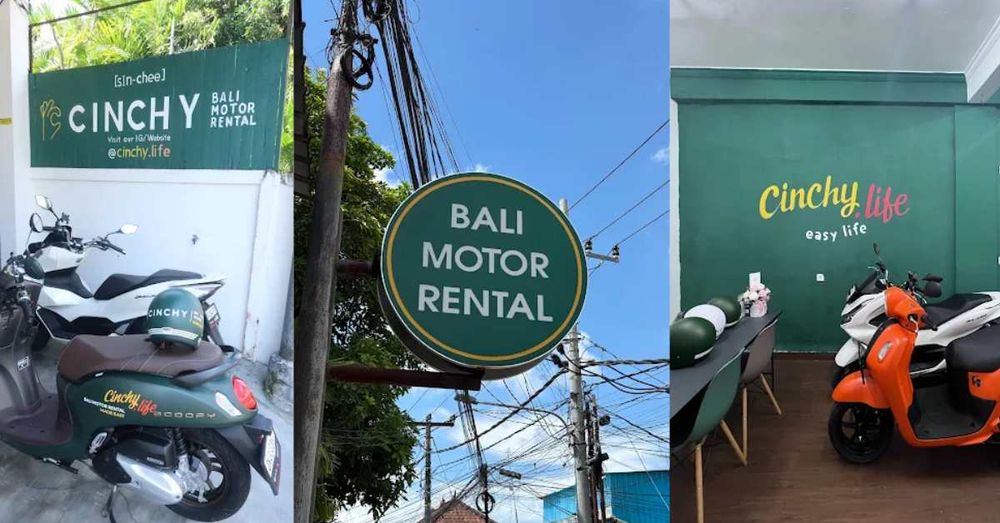
Exploring Bali is easier when you have a scooter that suits your travel plans.
Cinchy offers well-maintained, regularly serviced scooters with a convenient online booking system, helping you enjoy your journey with greater confidence.
You can choose between two categories: Compact, featuring Honda Scoopy, and Honda Vario, starting from IDR 95K/day, or Comfort, featuring Honda PCX, starting from IDR 155K/day.
Weekly and monthly packages are also available at lower daily rates.
Cinchy also provides real-time scooter availability through its website, so you can check available units before booking, whether you are visiting during peak season or quieter months.
With 24/7 customer support and convenient delivery options, arranging your scooter rental can be easier from the moment you arrive in Bali.
👉 Rent a scooter in Cinchy now, book early and save 5% with code EARLY5!
If you're still uncertain about your next steps, don't worry, as we're here to address all your queries and concerns.
On certain Honda models, including the Vario 160, five flashes indicate that the Smart Key remote battery needs checking and replacement. Confirm the warning pattern in your model's owner's manual.
Not every Smart Key warning requires a reset. Check whether the remote is activated, inspect its battery, and remove possible sources of signal interference. If the warning persists, consult an authorized Honda service center.
A depleted remote battery may prevent normal Smart Key authentication. Some Honda models provide an emergency operation procedure, but the method varies. Check your owner's manual for the correct instructions.
Certain Honda PCX models use CR2032 or CR2032H coin-cell batteries. However, battery specifications can vary between models and remote designs, so always check your owner's manual.
Some Honda models can continue operating after losing communication with the remote while the ignition is ON. However, switching off the ignition may prevent normal operation afterward. Follow your model-specific owner's manual.
Common possibilities include a deactivated remote, weak battery, radio interference, an unsuitable operating distance, an unregistered remote, or a damaged Smart Key system.
 travel tips
 hidden gems
 scooter guides
 riding tips
 bali guides
 cultural insight